
The Lobby
One room every member is in, up to 1,000 people. Say hi, find people, see what's being made. You can chat in it from this website too.
Hang out in rooms with people who make things. Chat in the Lobby, bring a pet along, dress your space from a Shop of 147 looks and effects, and build next to your friends. No AI required.
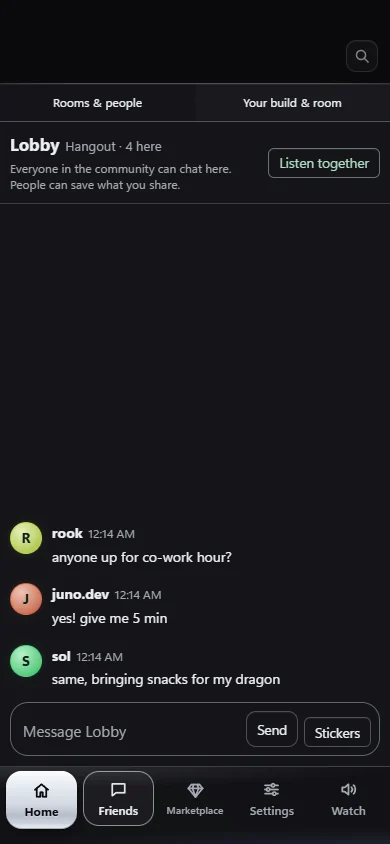
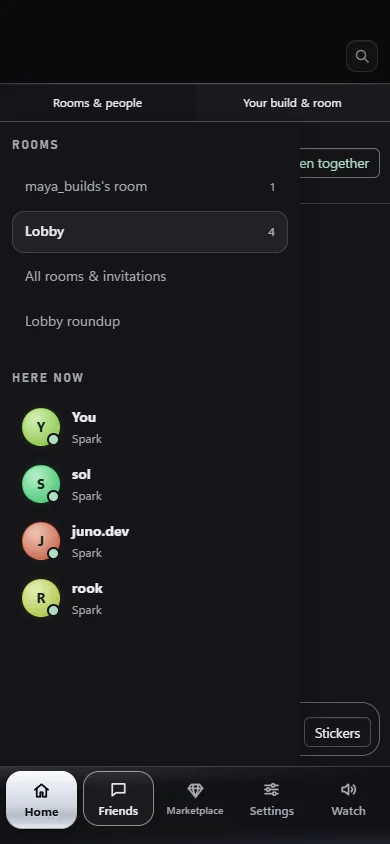
Made-up names and messages, to show what the Lobby looks like.
Rooms
Everyone starts in the Lobby. From there, open a hangout for your crew, a co-work room for a project, or your own room that you set up the way you like.
One room every member is in, up to 1,000 people. Say hi, find people, see what's being made. You can chat in it from this website too.
Rooms for your friends. Make them public, keep them behind a key, or keep them private and let people in with an 8-character code.
Build together. Each builder claims the files they're editing, so two people never trip over the same one, even across PCs.
Every member gets a personal room for up to 25 people. Set its mood, decide who gets in, and make it feel like yours.
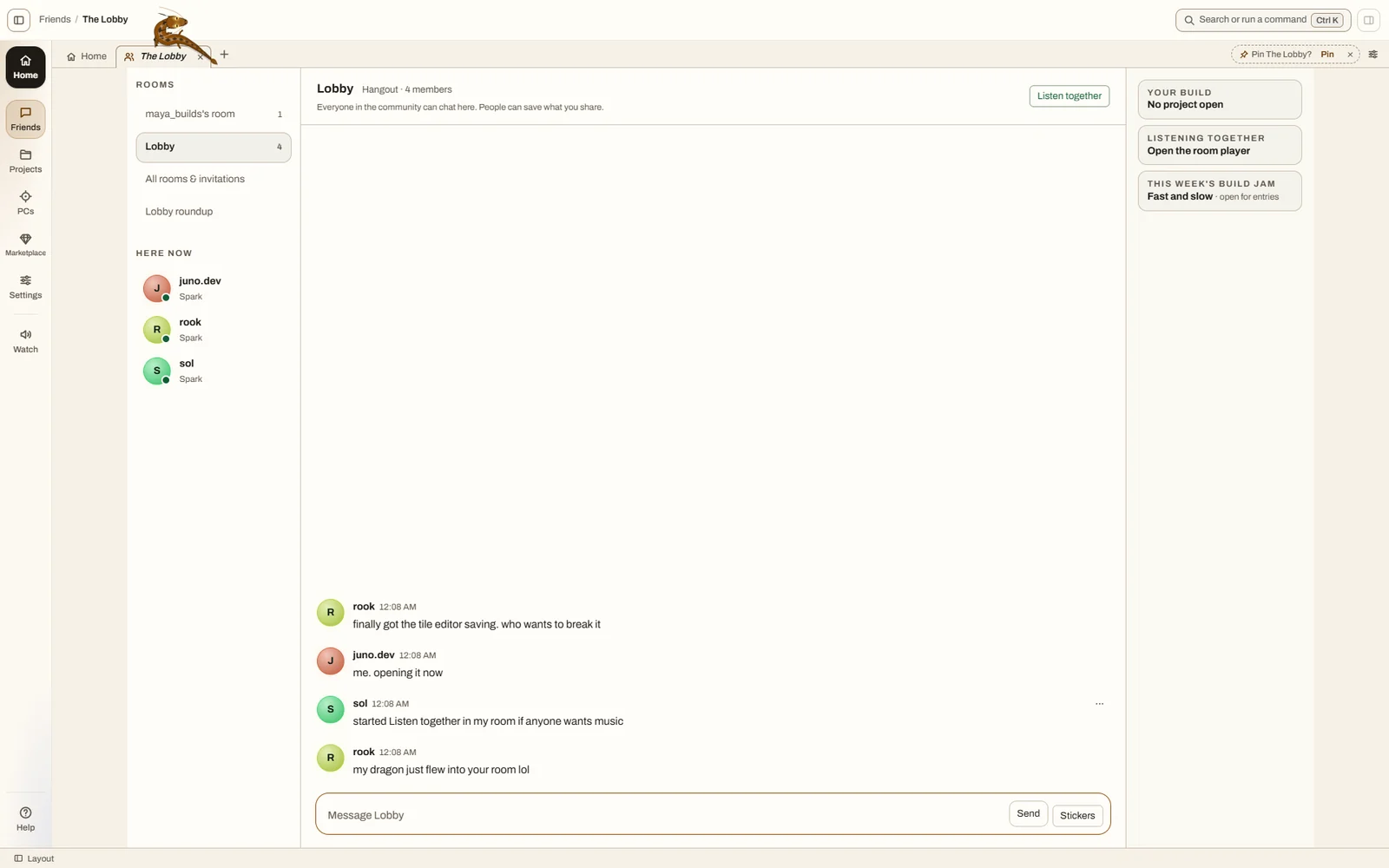
Friends
Your friends are the people you share a room with. Open VibeStudio and the people you hang out with hear you're online.

Pets & effects
Every member gets Ember the dragon and Skitter the web crawler for free. Your pet visits the rooms you have open, so your friends see it too.
Ember is a dragon who flies around your screen and naps on its bars. Skitter is a spider who walks along the edges of your panels. Play with them and feed them to keep their mood up.
Fourteen more pets, including a dragon egg that hatches after three days with VibeStudio open. Anyone can make a pet pack too: a small file you add in Settings.
Celebrations on messages, room moods set by the room's owner, click effects, pointer trails and menu effects. They're yours, and they never get in the way of the chat.
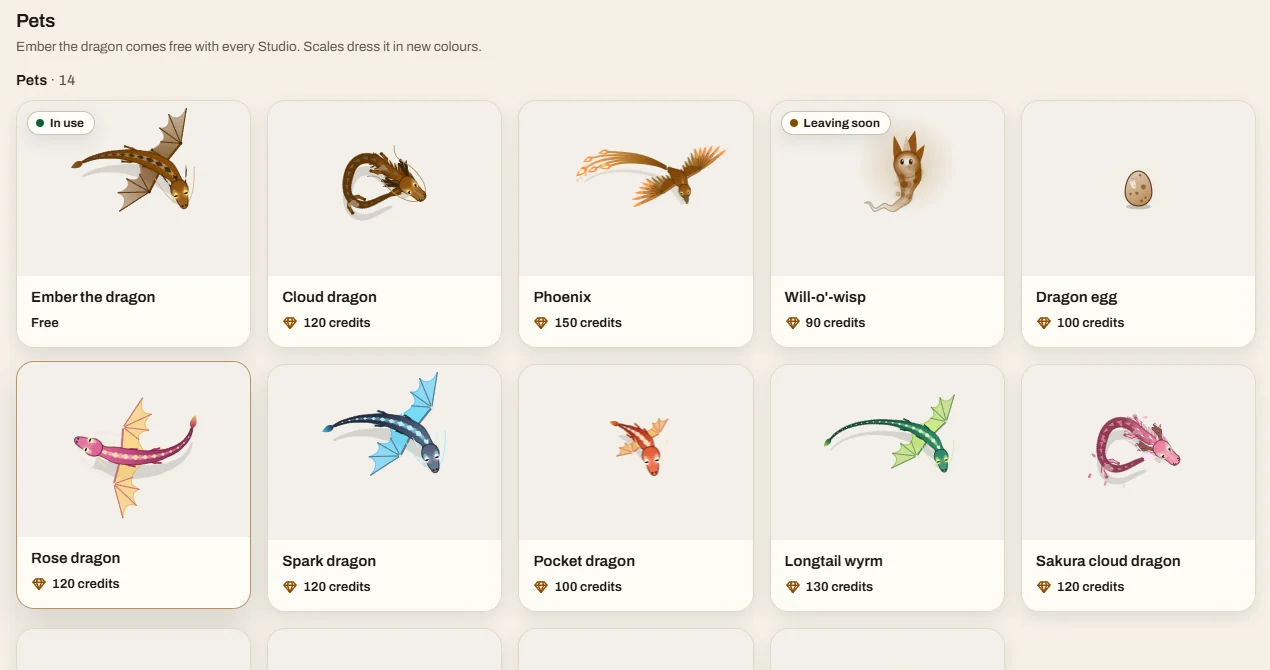
The Shop
Everything in the Shop is paid for in credits you earn by taking part. Credits are never sold and can't be cashed out. New items drop every month.
Monthly drops: Haunted Hollow in October, First Frost in November. Members can sell style packs they made for credits, too.
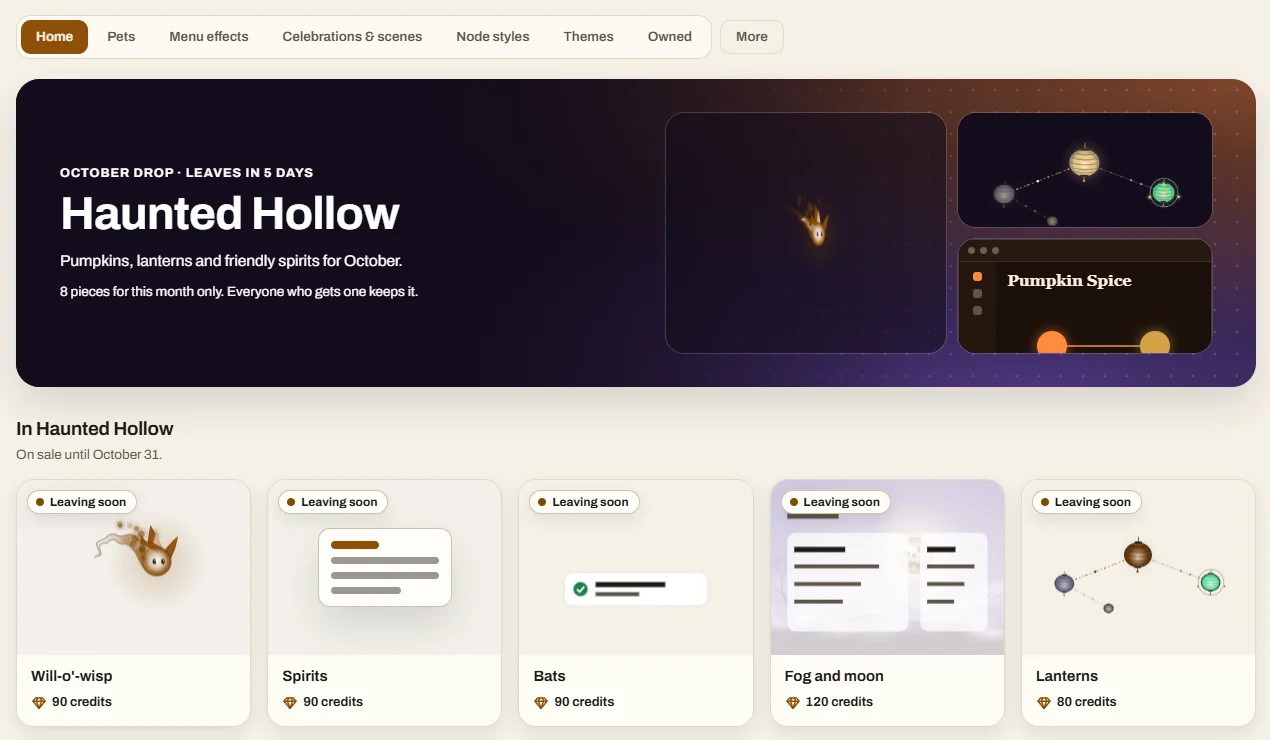
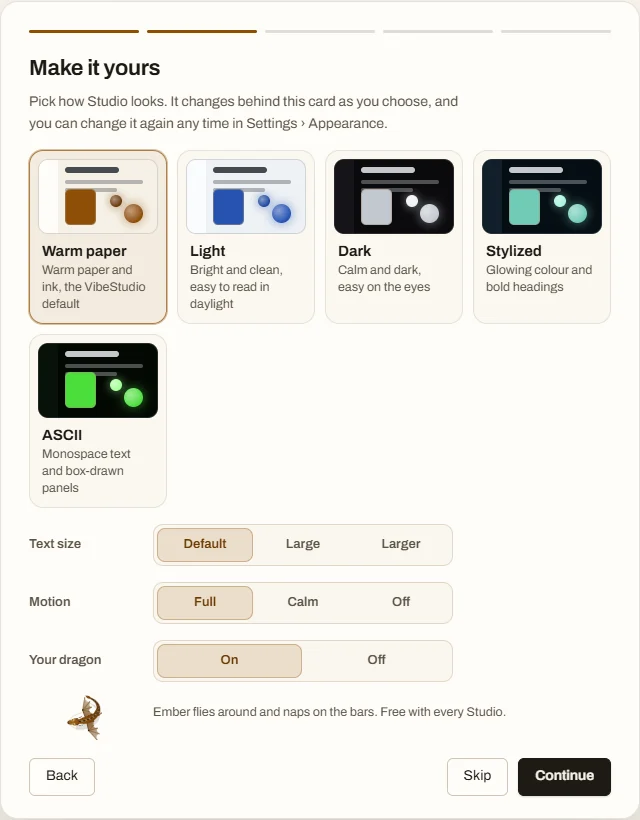
Looks
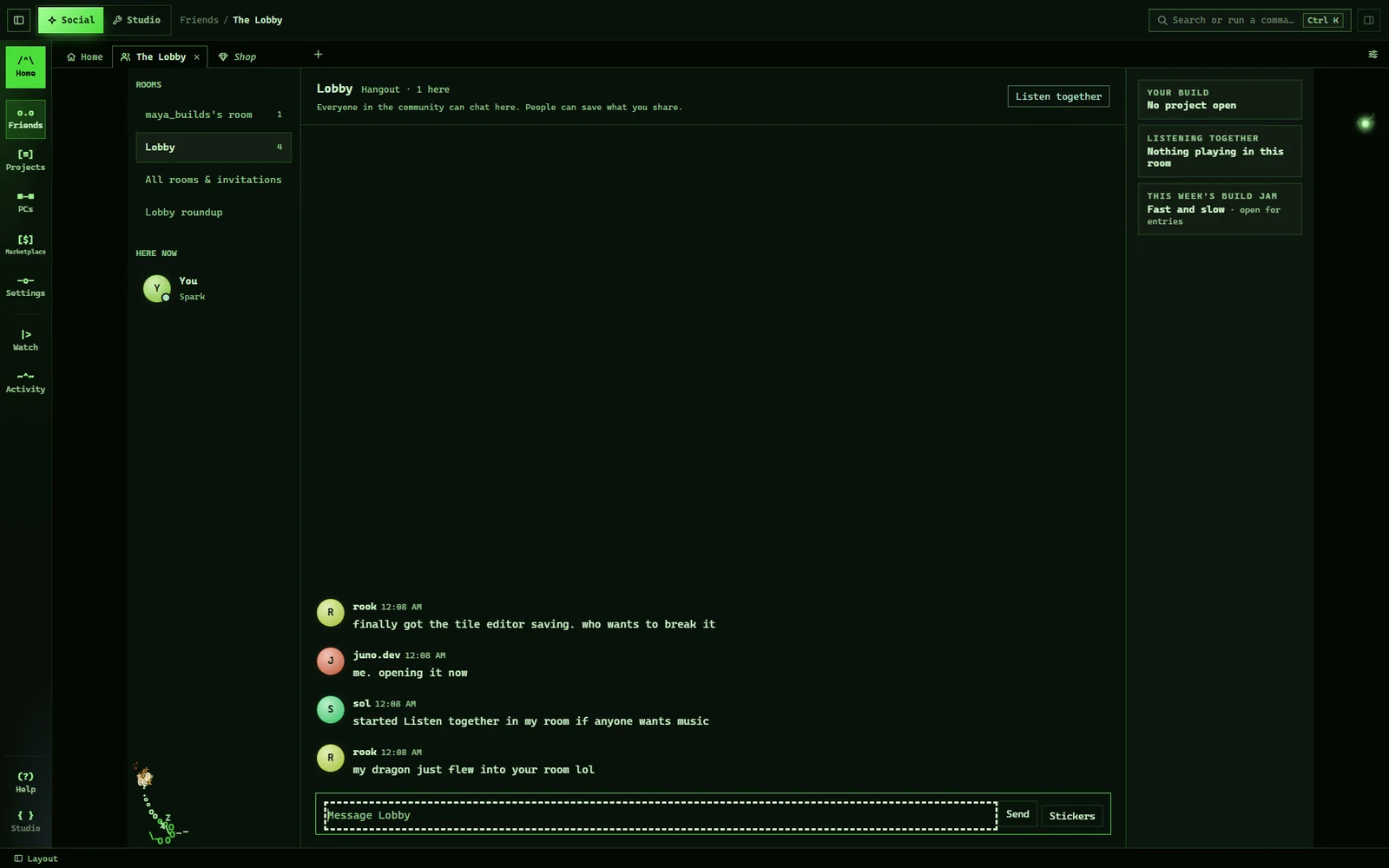
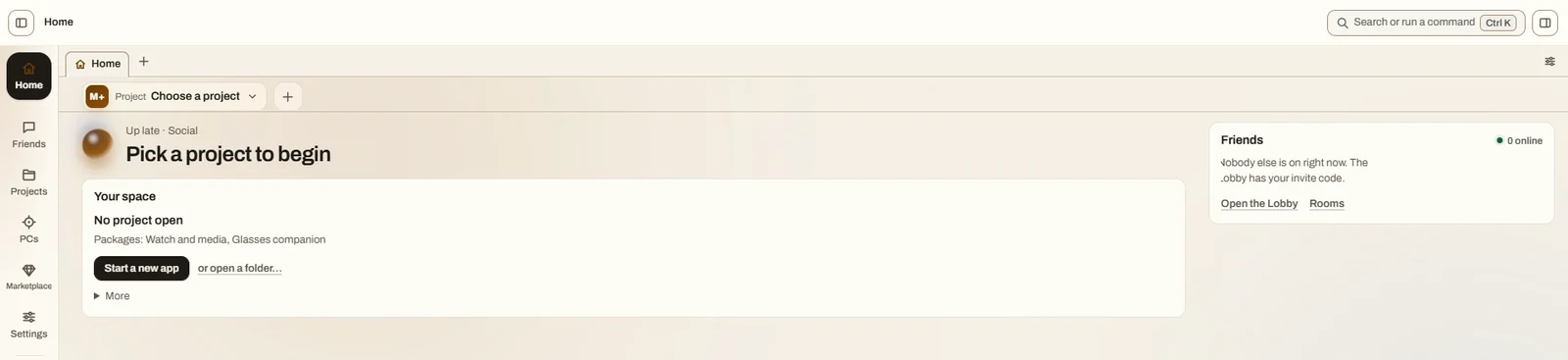
VibeStudio comes in five looks: Warm paper (the default), Light, Dark, Stylized and ASCII, with seventeen themes between them. Try three of them on this page:
No AI required
Home is a calm "Your space" card: the project you have open, what you've installed, and one thing to do next. The AI tools are a separate add-on you can remove or bring back from the Marketplace.
Start a new app or open Friends, with Your PCs, the Marketplace, Themes and Settings one fold away. Nothing on Home asks you to set up an AI.
Bring the AI coding tools you already use. The Kit adds Studio mode, agents, the Team page, the Map, the boards, sessions and Activity. Take it out from the Marketplace and VibeStudio is still all here.
Credits & ranks
Credits come from taking part: hanging out, hosting, weekly prompts, the weekly Build Jam, co-work hours, and people playing and starring what you share. Inviting people earns nothing, so nobody spams invites.
Members who join during the launch window get 1,000 launch credits, once per account, on top of the welcome drop. They buy the Shop's own items and room upgrades, and don't count toward rank.
A one-time welcome balance for new members, for room upgrades and the Shop. It can't be gifted, traded or cashed.
Your rank is your title on your friend card and grows with the credits you earn.
PC, phone, web
VibeStudio runs on Windows. The Android app is in testing, with Home, Friends, the Lobby and rooms, the Marketplace, the Shop, Settings and Watch. And this website has a Lobby of its own for members.
Invite only
VibeStudio opens to people a few at a time. Anyone can look around this site. To chat, download and join, you need to be on the list first.
Your email, the username you want and why you'd like to join. That's the whole form.
Requests are reviewed by hand. Check where yours stands any time with the status key you get when you send it.
Make your account in the app with your approved username, then approve this website from the app to chat in the Lobby here too.
VibeStudio is free, needs no AI, and is for people 18 and over.
Yes. Joining, chatting and the free pets cost nothing. The Shop takes credits you earn by taking part; credits are never sold and can't be cashed out. Any cash features would come later and be for people 21 and over.
No. VibeStudio is a social app first. The AI Tool Kit is an optional add-on for people who already build with AI coding tools, and you can remove it from the Marketplace.
Anyone 18 or older whose invite request is approved. Request one with your email, the username you'd like and why you want to join.
Downloads open to invited members first, and the download page is coming soon. The version on the way is 0.5.0, for Windows, with Android in testing.
Yes, once you're a member. Open the web Lobby, and the site shows a short code. Approve it in the VibeStudio app on your phone or PC, and you can chat in the Lobby and your rooms right here.
While you're signed in, only a sign-in cookie that scripts on the page can't read. The site stores nothing else in your browser, loads nothing from other sites and has no trackers. If you request an invite, we keep your email, username and reason to review it.
Not yet. Rooms have text chat and Listen together today; voice chat is planned for later.